With its four Thunderbolt port pairs, for a total of eight ports, Pro Data can be configured and reconfigured as needed for different environments and workflows.
First, be sure that each Thunderbolt connection from a computer is to a separate port pair on Pro Data, as shown below:
Use two Thunderbolt connections from a single computer to maximize throughput, and/or single connections from multiple computers for collaboration.
The other port within the pair can be used to connect downstream to more Pro Data devices, docks, 4K displays, or USB accessories. You can use the left or right port of the pair for the computer connection: the type of connection is determined automatically when you plug in.
Depending on your workflow, choose the sort of configuration that best suits your needs:
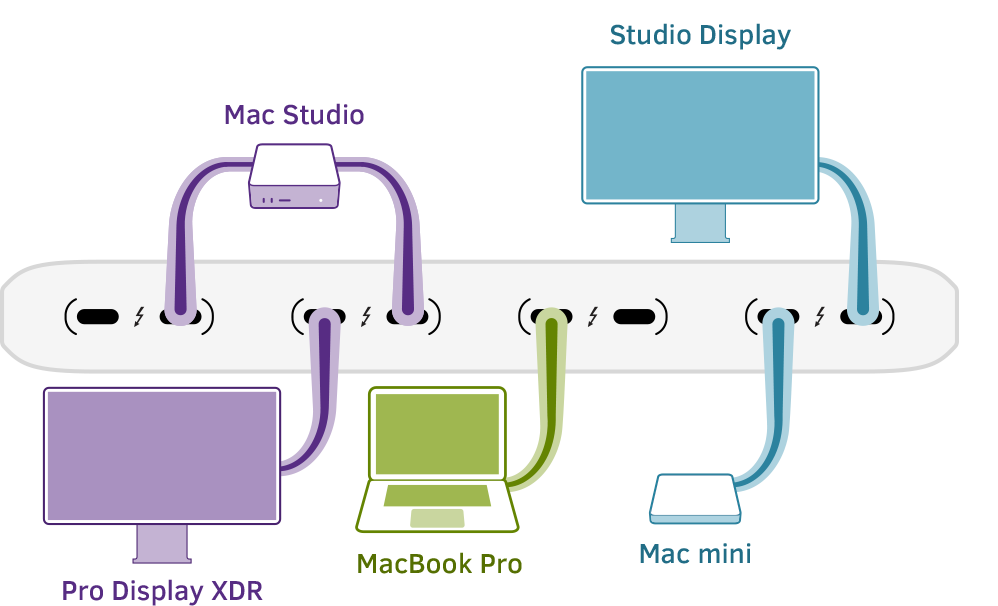
Flexible Connectivity
Port pairs auto-negotiate full-speed connections upstream to computers and downstream to peripherals
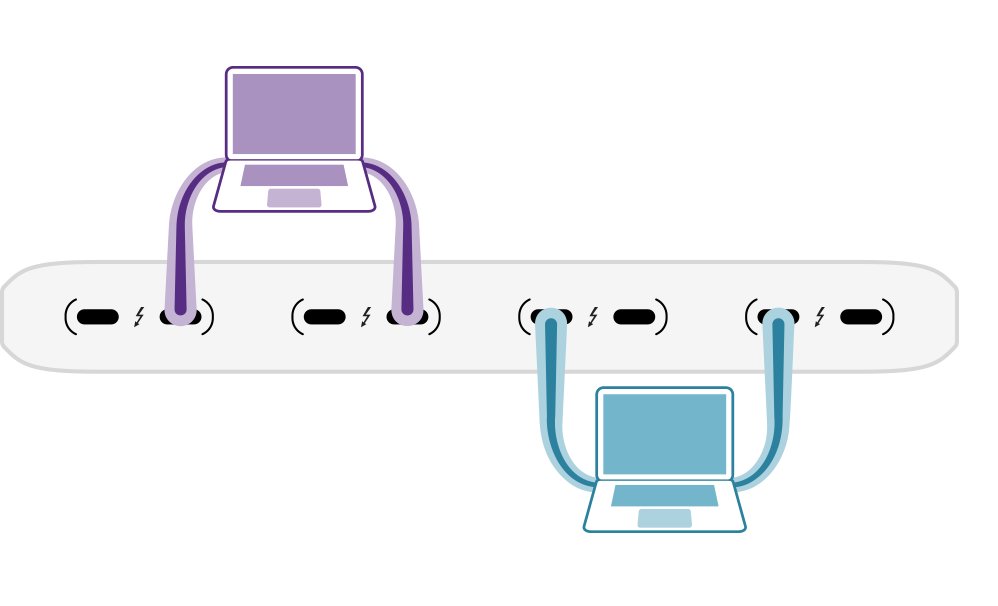
Ultimate Throughput
Two computers, each multipathed to achieve maximum performance
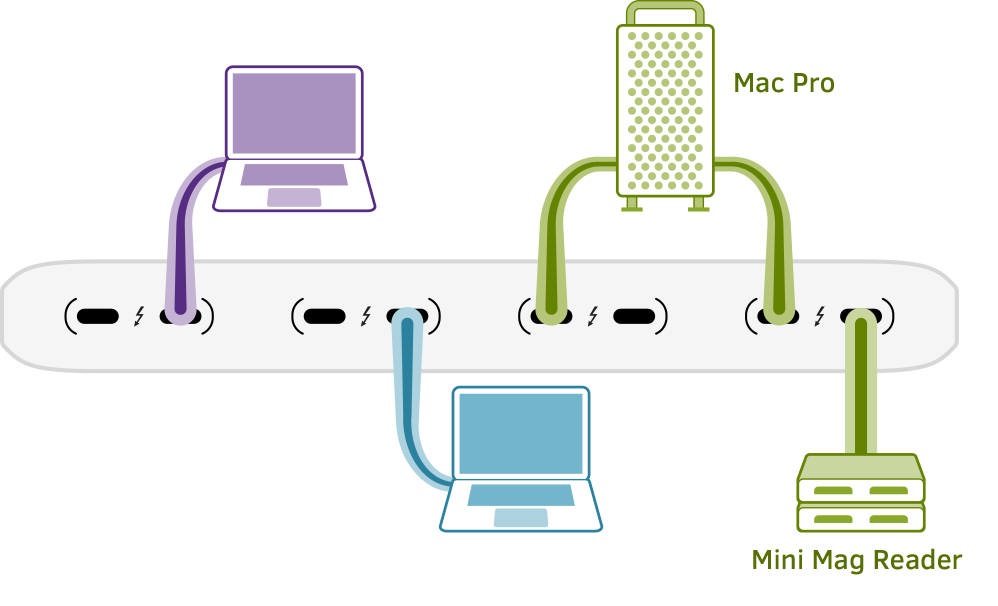
Offline Automation
Delegate time-intensive tasks like data ingest and rendering for increased efficiency
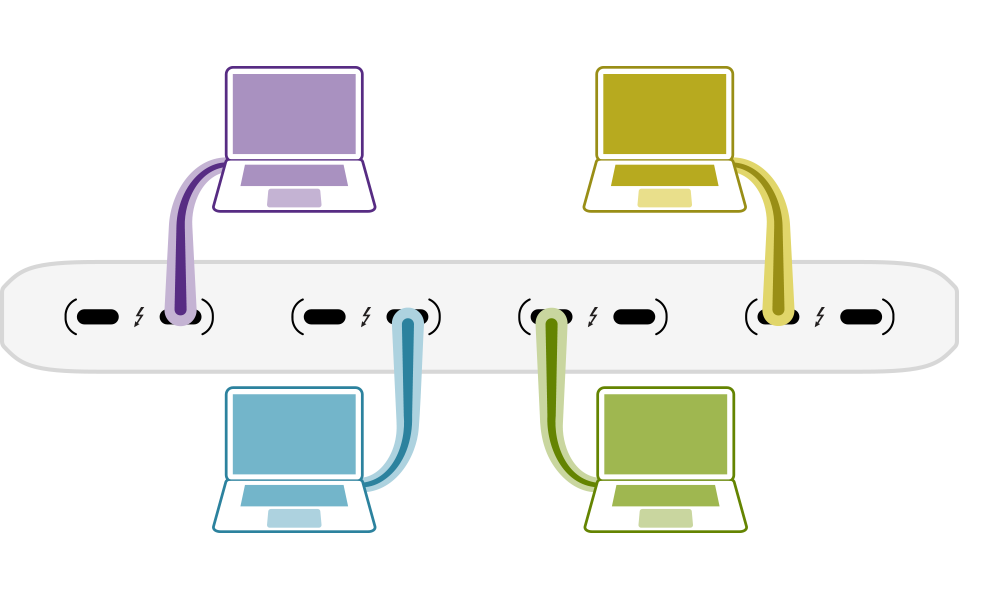
Streamlined Workgroups
Connect up to four computers simultaneously for a collaborative workflow using Storage Handoff and Read-Only Sharing
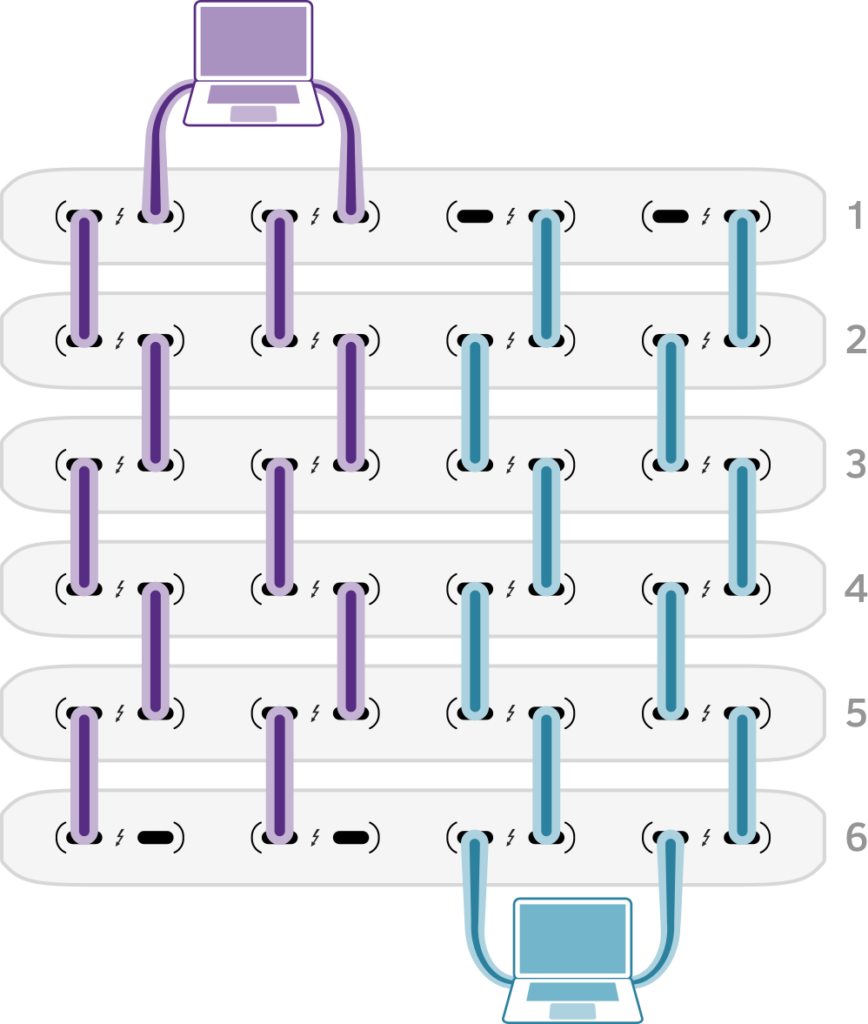
Massive Expansion
Single or multipath daisy chains can increase capacity up to six Pro Data devices while providing optimal connectivity and speed